Today's number, not a monthly guess
One number on the dashboard: what's left to spend today. Change any income or bill and it updates right away. There is nothing to redo and no report to run.
Made for couples and families who share money.For couples and families.
See what your household can spend today. No spreadsheets. No guilt. Just one number.
30 days free, then $59.99 a year for the whole household. Cancel before day 30 and you are not charged.

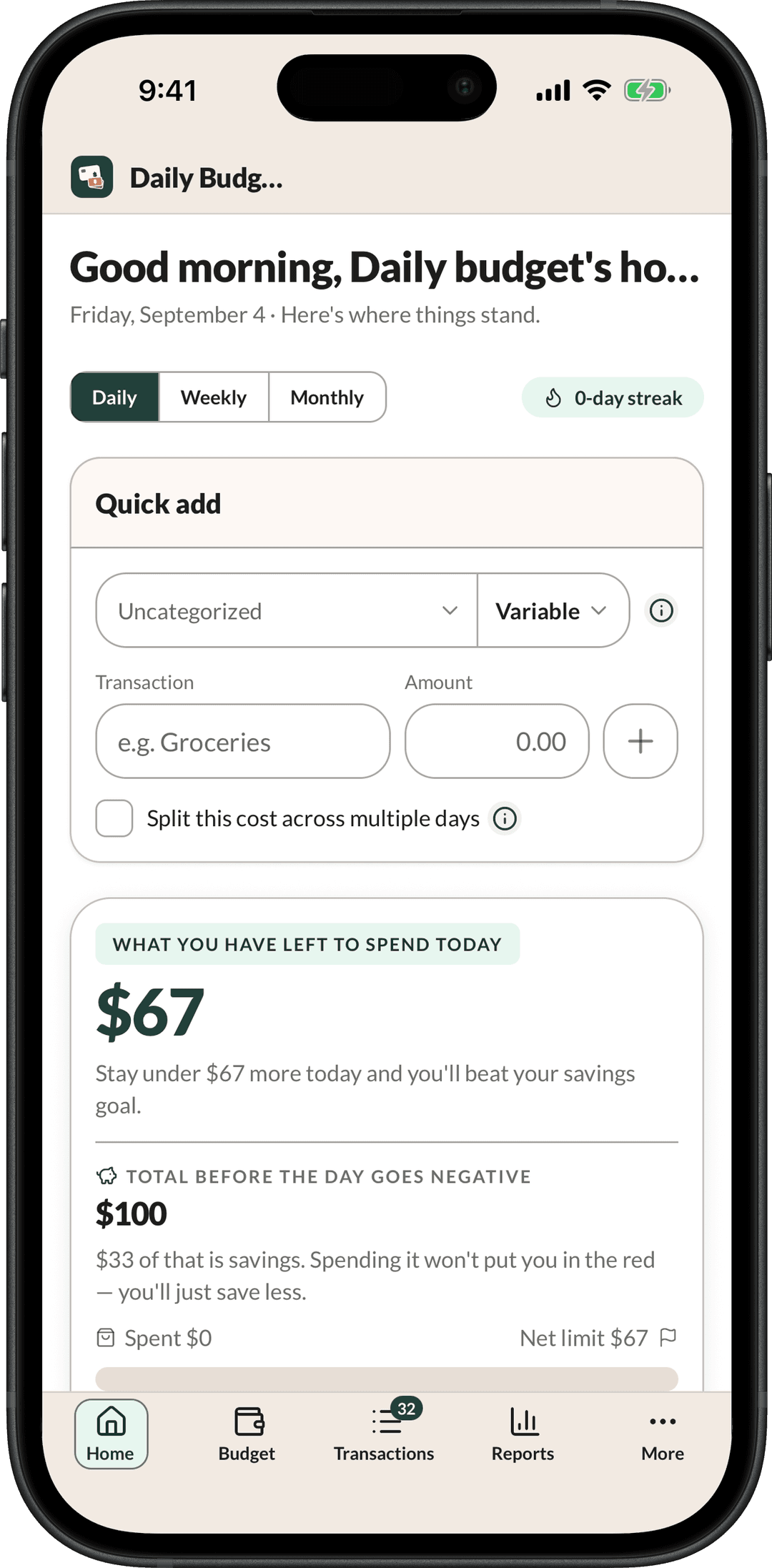
Daily income $167, minus $67 of fixed expenses, minus a $33 savings goal, minus $0 spent so far, leaves $67 to spend today.
Example household: $5,000/mo in, $2,000 to bills, $1,000 to savings.
How it works
Setup is done as soon as a daily number appears. There are no categories to build and nothing to import. The app asks three things: what comes in, what you already owe, and what you want to save. Every number on every screen comes from those answers.

Add every source of income. A salary, a second job, a commission check that lands once a quarter. Paid once a year? We spread it evenly over all twelve months, so it counts in every one of them and not just the month it arrives.
First the bills that stay the same. Rent, power, insurance, the car payment. Then the ones that move: groceries, gas, eating out. Your savings goal goes here too. That way the money you mean to save is set aside first, before anything counts as yours to spend.
What's left is split across the days in this month. That is today's number. Log what you spend as you go and it counts down. Finish the day under it, and the money you did not spend goes to your savings goal.
Why a spreadsheet stops working
Most budgets divide by 30 and move on. In a 31-day month, that hands you a day of spending you do not actually have. In a short month, it promises more each day than the month can cover. You usually find out from an overdraft, not from a wrong cell in a spreadsheet.
Daily Budget reads the real length of the month off the calendar every time. The same budget splits August by 31 days and September by 30, and you re-enter nothing. When a new month starts, it asks if you want to carry the same amounts forward. What you did not spend yesterday is a question you answer, not a rounding error.
What you get
There is no higher tier, and nothing is held back to sell you later. Two of these are worth a second look. The export, because your numbers should never be locked in. And the last one, because it is where Daily Budget parts ways with most budgeting apps.

One number on the dashboard: what's left to spend today. Change any income or bill and it updates right away. There is nothing to redo and no report to run.
Finish under your limit and you win the day. The Weeks screen keeps score one week at a time. A streak of won days is what keeps people coming back.
Enter the goal and the amount, and we show you the date you will reach it. Every day you spend under your limit, the money left over goes to the goal. So the streak is also what pays for it.
Put every balance in one place. See a payoff plan next to what happens if you do nothing. Look years ahead on your mortgage. Then answer a few short questions to find out which one to deal with first.
List what you own next to what you owe. Together they give you one number that neither list can give on its own. A house and the loan on it sit side by side, so you see what the house is really worth to you and not just a balance on its own. You also see how much money you could get your hands on this week. That one is usually much smaller.
Every budget you run is saved with the date it started. So changing a bill today leaves last month alone. Scroll back through the weeks you won. Every purchase you have ever logged stays on the Transactions screen, with its date, and you can save it out whenever you want.
One tap turns what you spent and saved into a square picture made for a group chat. It covers today and the rest of this week. The app draws that picture itself instead of grabbing your screen. So the only thing you send is the part you meant to send.
Invite your partner or the rest of the family by email. Everyone sees the same budget and logs what they spend. Three roles decide who can change what. Nobody pays extra to be included.
The Transactions screen saves every row as a CSV file or an Excel file, whether you pay or not. Nothing you enter is locked to a plan.
Every number in Daily Budget today is one you entered. No bank login, no feed, nothing brought in without you. A bank connection through Plaid is coming, and it will only ever read. It stays off until you turn it on. It cannot move a cent or change anything your bank holds. And you can cut it off with one click. Typing your numbers in is not the version you put up with until then. It is why the budget looks like your life, and it will still be a full way to run this app after linking arrives.
Built for two
One plan covers your whole household, not each person. That is not a pricing trick. The app is built around a budget two people run together, so charging for the second person would mean charging for the main thing it does.
Invite whoever handles money with you by email. They pick their own password. They see the same numbers you do. Their role decides what they can change.

Full control
Can change anything, and can add or remove people. To leave, an Owner first hands the household to someone else.
Same access
The same access as an Owner, except they cannot remove one.
Day to day
Sees everything, and logs what they spend each day.
Beyond today
The daily number is the app. These answer the bigger questions you ask once the day to day is handled. The mortgage and debt payoff ones are open to anybody. No account, nothing to install, and every number you type stays in your own browser.
Mortgage
Your payment is really five parts: the loan, PMI, taxes, insurance and dues. We show all five. So when you hold it up against rent, you are comparing the whole thing.
Parts of the payment
5Debt payoff
Put every balance in one place and get an order to pay them off. We draw it next to what happens if you do nothing, so you can see what the plan is worth.
Measured against
Doing nothingOutlook
Answer a few short questions about your balances, your goal and your daily number. It tells you which one to put money against first.
What comes back
A ranked listIncluded with an account
On your phone
The phone app is not a sidekick or a summary. It is the same household reading the same numbers from the same place. It is a second window onto one budget, not a copy of it. Log a purchase in the checkout line and it is on the laptop before you get home. One app, built for iPhone and Android, covered by the same plan.
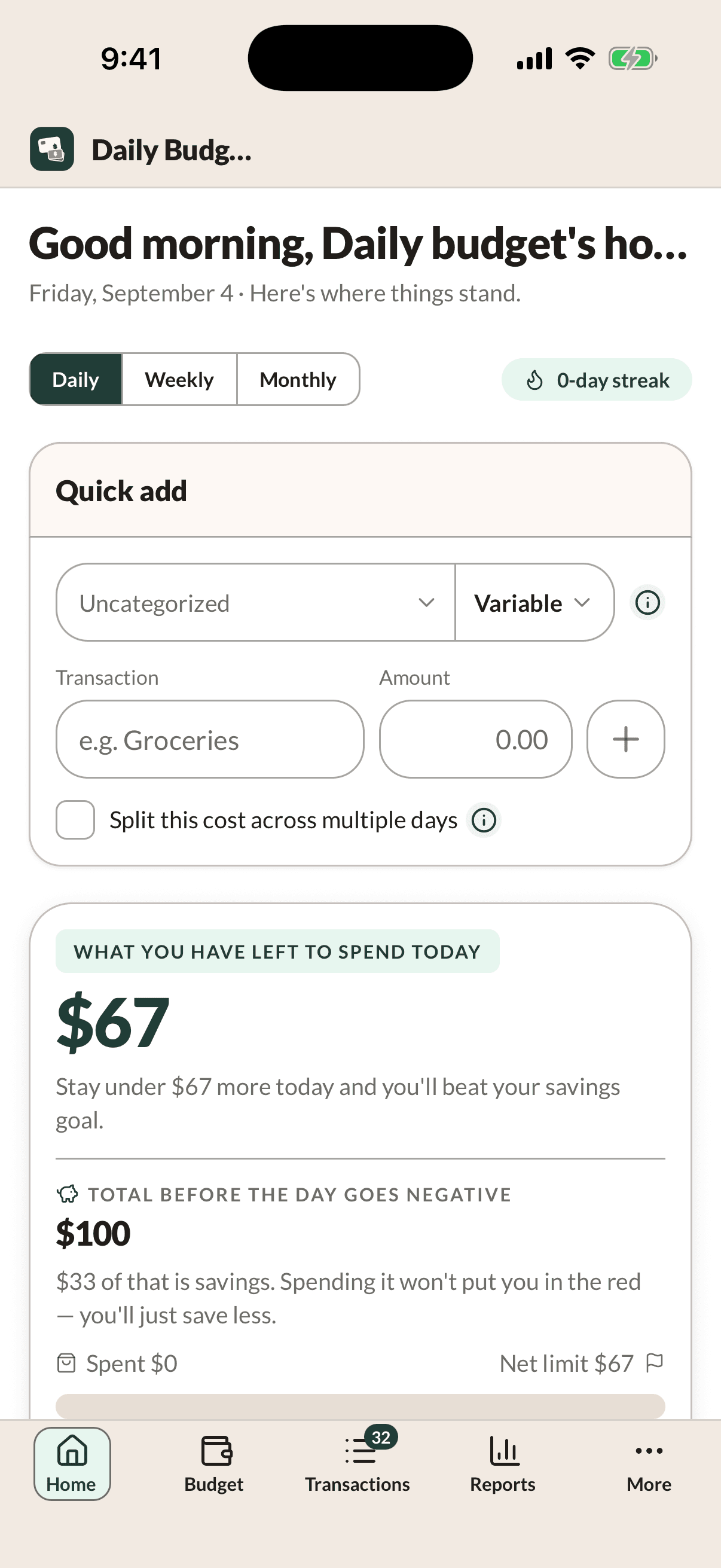
HomeToday's number, and the box you log against. Quick add fills in the store name as you type. A purchase that covers more than one day can be spread across them.
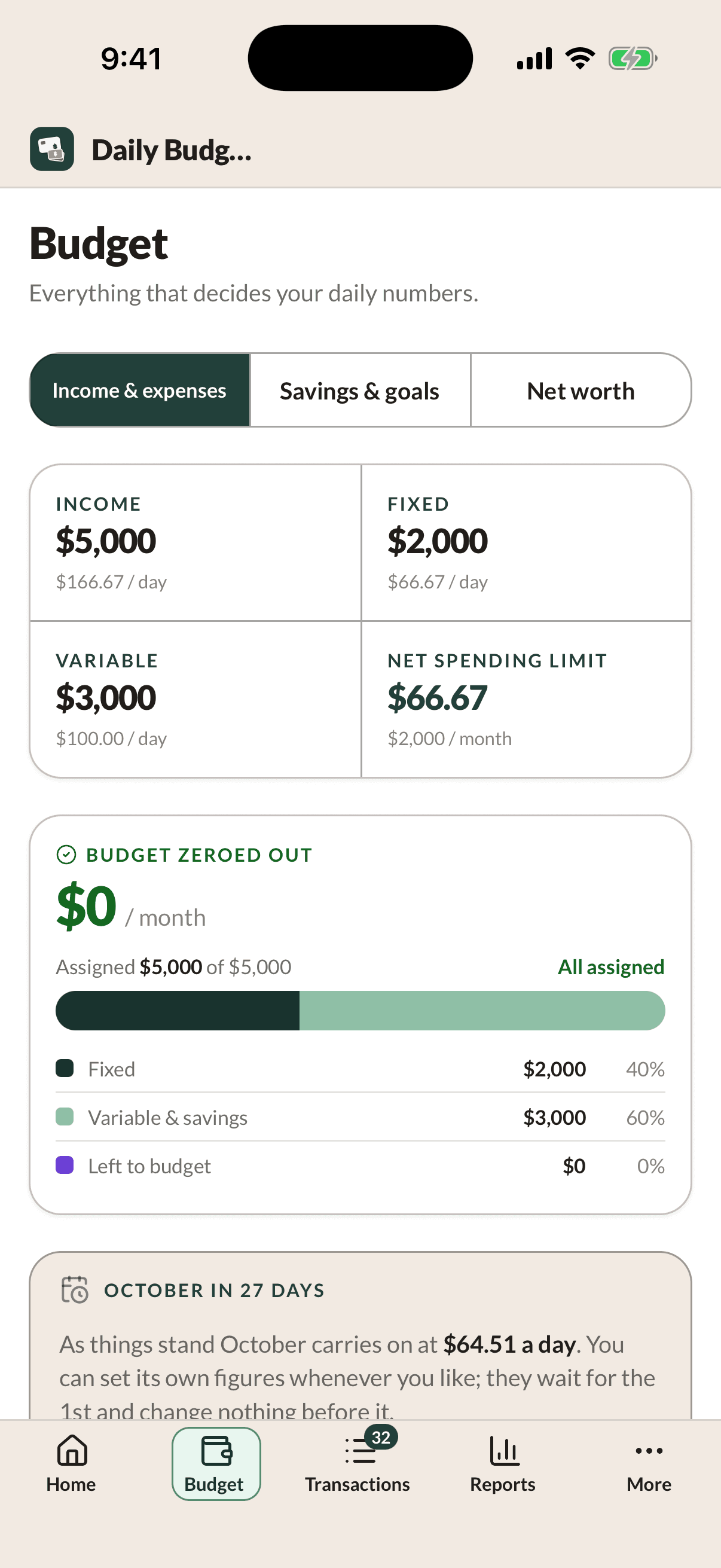
BudgetWhat comes in, what you already owe, and the daily limit those two make. Edit a line here and every number on the other three tabs has changed by the time you are back.
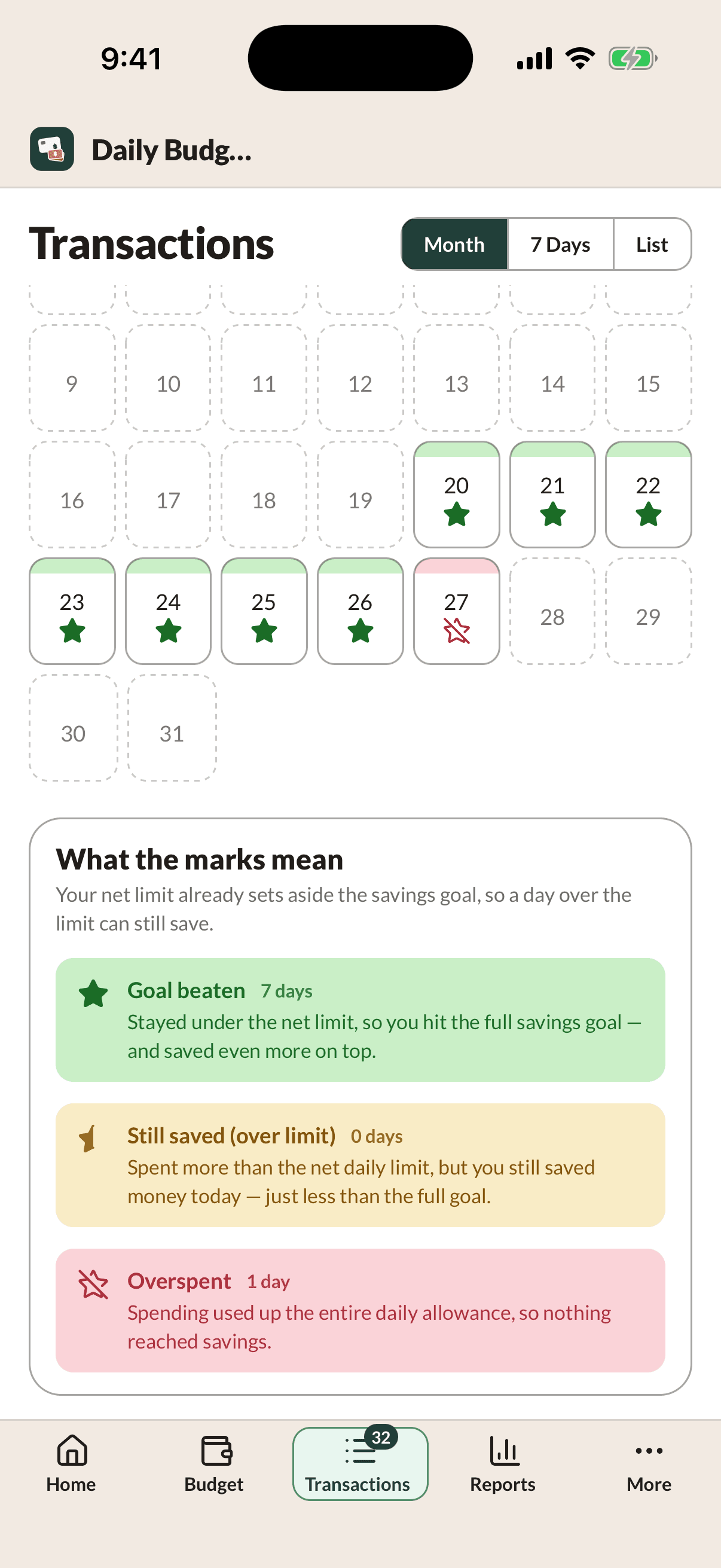
TransactionsThe month as a calendar. Green beat the savings goal, yellow saved something, red saved nothing. The whole month saves to CSV or Excel straight into the share sheet.
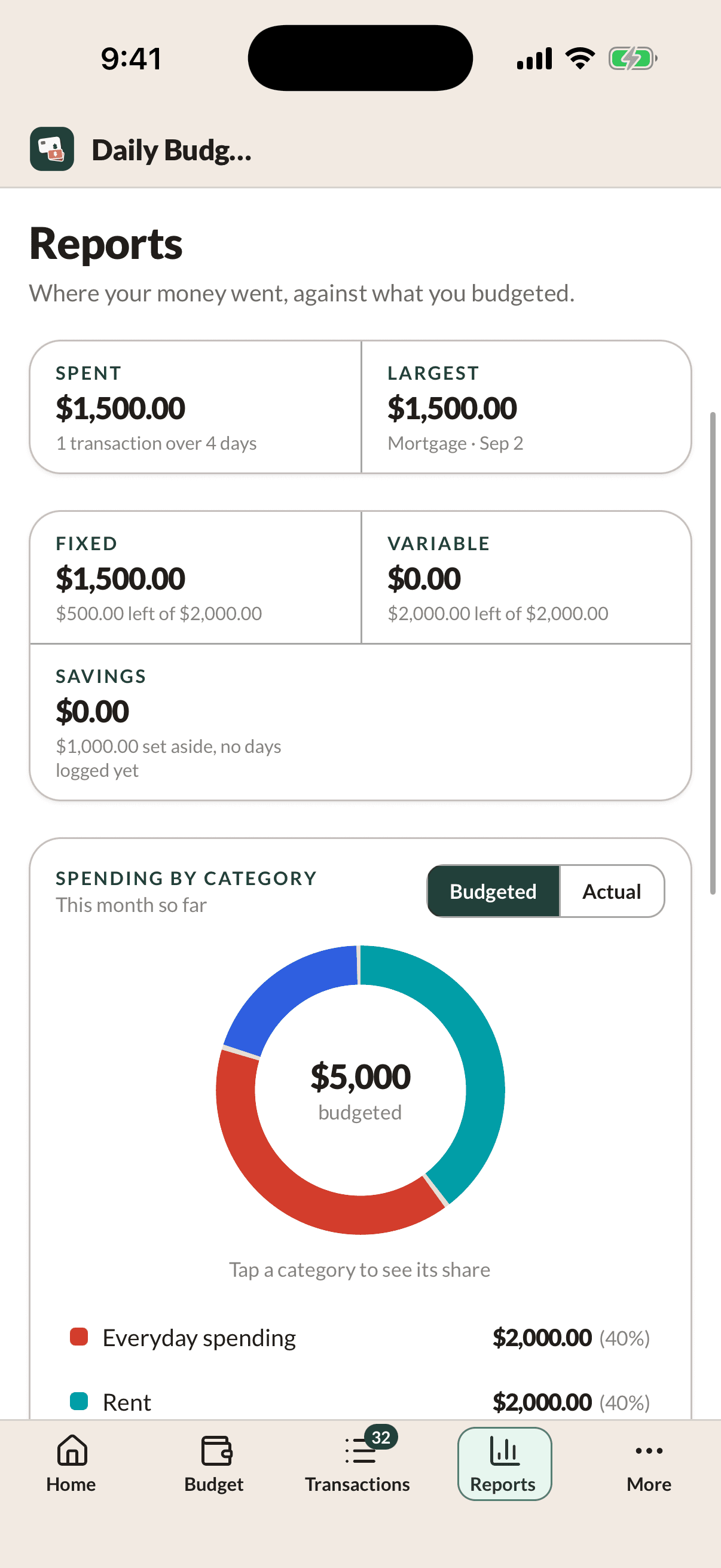
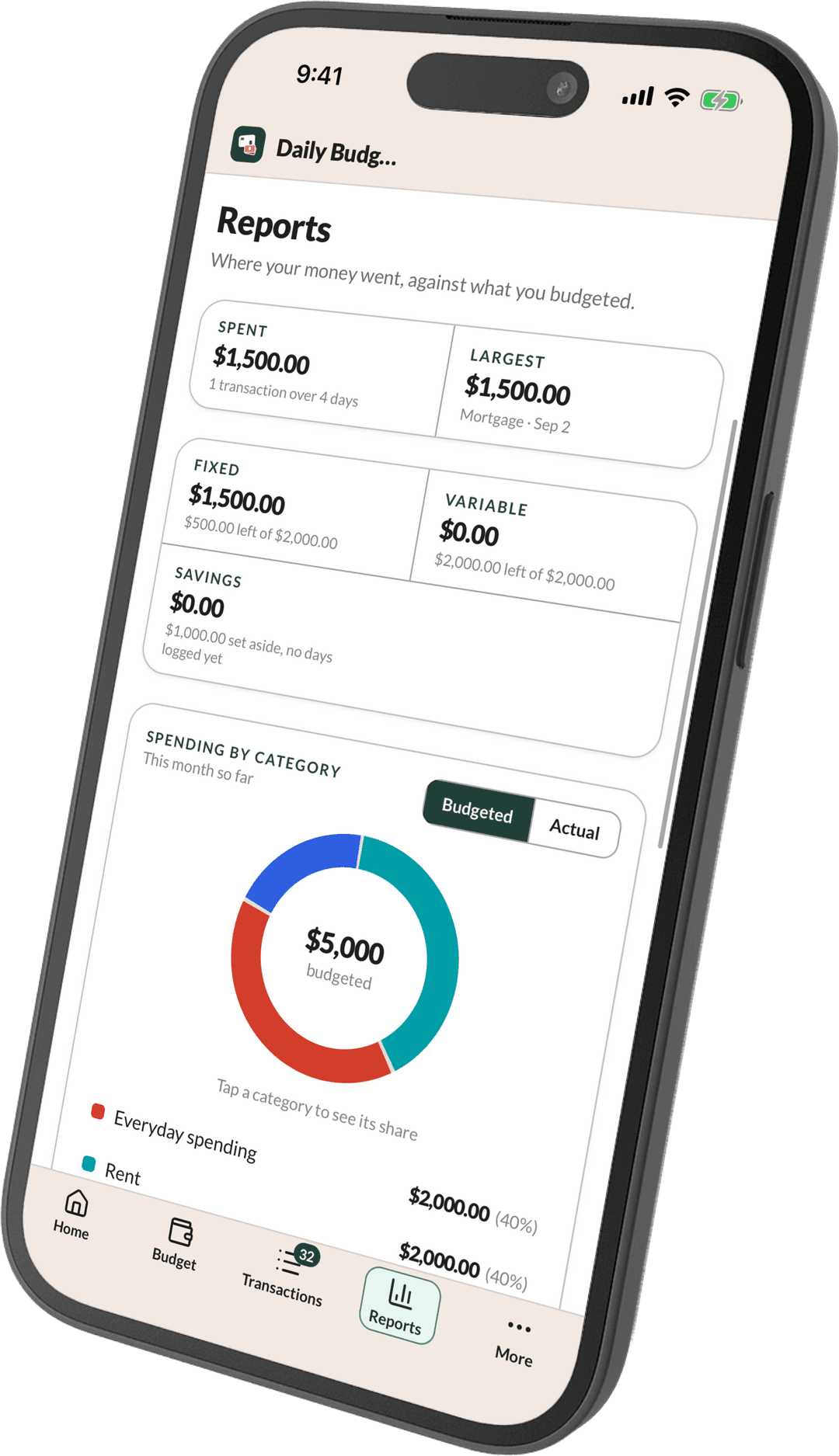
ReportsWhere the month actually went, next to what you planned. Fixed, variable and savings sit side by side. The category breakdown flips between what you budgeted and what you spent.
Why it matters on a phone
A daily budget rarely fails at the math. It fails when you log a purchase three days late, against a limit you had already spent. By then the number on the screen has been wrong for three days.
So the app goes where the spending happens. Today's number sits on the lock screen you were already looking at. Logging a coffee takes a keypad and one tap. In the evening your phone tells you how the day went, while you can still change tomorrow. Those reminders are set on the phone itself. None of your household's numbers leave it to send one.
One plan covers both. There is no upgrade to unlock the app, no charge for each device, and nothing is held back on the screen you happen to be on.
On the App Store now. The Android app is built and runs. It just isn't on the Play Store yet, and it's next. There is no iPad layout yet. The web app runs in any browser on either one. You pay here on the website, not in the app.
How it compares
These are the three apps you are most likely choosing between. We lined them up on the eight questions that really tell them apart. Two of those rows go to them, and we left them in, because a comparison that wins every line is not one. Every mark was read off their own pricing and help pages, and the month we read them is under the table.
| What is being compared | This app Daily Budget One number a day, for the whole household $59.99 a year or $6.99 monthly | Elsewhere YNAB Assign every dollar to a category, month by month $109 a year or $14.99 monthly | Elsewhere Monarch Every account and your net worth on one dashboard $99.99 a year or $14.99 monthly · Plus, $199 | Elsewhere Rocket Money Track what you spent and cancel subscriptions Free Premium $7–$14 monthly |
|---|---|---|---|---|
| Tells you what you can spend today | Daily Budget: Yes | YNAB: No. You get category balances for the month. Splitting them across the days left is up to you. | Monarch: No. Month-to-date spending against a monthly budget. | Rocket Money: No. Monthly budgets and spending totals. |
| Useful with no bank account linked | Daily Budget: Yes | YNAB: Partly. You can enter everything by hand, but the method expects you to be matching real accounts. | Monarch: Partly. You can add accounts by hand, but the dashboard is built around linked ones. | Rocket Money: No. The linked feed is the product. |
| Live connection to your bankTheir advantage | Daily Budget: No. Not today. A read-only Plaid connection is coming, and it will be optional when it arrives. | YNAB: Yes | Monarch: Yes | Rocket Money: Yes |
| Whole household on one subscription | Daily Budget: Yes. Everyone you invite, with three roles deciding who can change what. Nobody pays extra to be invited. | YNAB: Yes. Up to six people share one budget. | Monarch: Yes. Household access for a partner is included on the Core plan. | Rocket Money: No. Built around a single login. |
| No higher tier to buy | Daily Budget: Yes. There is no tier above this one, on either plan. | YNAB: Yes. One plan, with everything in it. | Monarch: No. Plus, at $199 a year, adds forecasting, business and estate-planning tools. | Rocket Money: No. Premium adds unlimited budgets, net worth and web access. |
| No ads, partner offers or referral fees | Daily Budget: Yes. Your subscription and nothing else. No outside code on any page. | YNAB: Yes | Monarch: Yes | Rocket Money: No. Bill negotiation takes 35–60% of your first year of savings when it works. |
| Every row exports to CSV and Excel | Daily Budget: Yes. CSV file or Excel file, whether you pay or not. | YNAB: Partly. CSV only, and only from the web app. | Monarch: Partly. CSV only. | Rocket Money: Partly. Web access is a Premium feature. |
| Free plan that never expiresTheir advantage | Daily Budget: No. 30 days free, then it is a paid app. | YNAB: No. 34-day trial, then it is a paid app. | Monarch: No. 7-day trial, then it is a paid app. | Rocket Money: Yes. Free tier with two budget categories of your own, and no end date. |
Marks and prices were read off YNAB's, Monarch's and Rocket Money's own pages in August 2026. Any of the three can change theirs without telling us, so check anything here that would decide it for you. A few things need saying in full rather than on a circle. Rocket Money is genuinely free if the free tier's two budget categories are enough for you, and its bill negotiation is optional. YNAB and Monarch both allow manual accounts, so you can run either one without linking a bank. It is just not what they are built around. All three paid apps start with a trial: 30 days here, 34 at YNAB, 7 at Monarch. And our own missing bank connection is the real reason to pick one of them over this app today. The only column we can promise to keep correct is ours.
Security
A budget is the most personal thing you will put in an app: what you earn, what you owe, what you buy. Here is what keeps it yours.

Questions
Yes. You pick a plan and enter a card to start your 30 free days. Nothing is charged during them. On day 30 the plan starts on its own at the price above. Cancel in Settings → Plan before then and you are never charged at all. One free trial per household, and Stripe holds the card, not us.
Because the one thing a spreadsheet cannot do is carry your budget from one month into the next. A two-week trial ends before that ever happens. 30 days means you see it work once before you decide.
No. One plan covers your whole household, not each person. Everyone you invite sees the same budget and logs what they spend. Three roles decide who can change what. Nobody pays extra to be included.
Any time. The Transactions screen saves every row as a CSV file or an Excel file, whether you pay or not. Nothing you enter is locked to a plan.
Not today. Every number in Daily Budget is one you entered. No bank login, no feed, nothing brought in without you. A connection through Plaid is coming, and it will only ever read. It stays off until you turn it on. It cannot move a cent or change anything your bank holds. And you can cut it off with one click.
You can do it yourself in Settings. It takes your password and a code we email you right then, so nobody else can close it for you. Save your history first if you want it. The full price list covers what happens to your data either way.
Pricing
$59.99 a year, or $6.99 a month. Paying by the year saves 28%. Both plans are the same app, and everyone you invite is included.
The first 30 days are free. You pick a plan and enter a card to start them. Nothing is charged for 30 days. On that day the plan starts on its own at the price above. Cancel in Settings → Plan before then and you are never charged at all. One free trial per household, and Stripe holds the card, not us.
The full price list covers discount codes, canceling, and what happens to your data either way. So do the Terms of Service and the Privacy Policy, both open without an account.
Set up your income and your bills once. Every morning after that opens on a single number you can act on.